





167,715
1,394
167,715
1,394
Information:
This mod fixes hundreds of map collisions, models, textures and placements errors and oversights
Note: a complete list can be found in "Changes.txt" included in the archive
Requirements (Legacy):
- CodeWalker or OpenIV
- RageOpenV or OpenIV.asi ( included with OpenIV )
- OIV Package Installer
- HeapAdjuster
- Packfile Limit Adjuster
- fwBoxStreamerVariable Patch
- Custom Gameconfig
- Bugstar Fixes
Requirements (Enhanced):
- CodeWalker. Note: download the latest version from the Discord server
- RageOpenV or OpenRPF
- OIV Package Installer
- HeapAdjuster Enhanced
- Packfile Limit Adjuster Enhanced
- fwBoxStreamer + DecalsPatch (Enhanced)
- Custom Gameconfig
- Bugstar Fixes
Installation (Legacy):
- Move the "spmapfixes" folder in "mods\update\x64\dlcpacks"
- Add "<Item>dlcpacks:/spMapFixes/</Item>" to the "dlclist.xml"
- MP Map Fixes (Pack 1 and Pack 2): use the OpenIV's built-in package installer / the OIV Package Installer or extract the files to import them manually
Installation (Enhanced):
- Move the "spMapFixes_Gen9" folders in "mods\update\x64\dlcpacks"
- Add "<Item>dlcpacks:/spMapFixes_Gen9/</Item>" to the "dlclist.xml"
- MP Map Fixes: use the OIV Package Installer or extract the files to import them manually
Special Thanks:
- dexyfex for CodeWalker
- Skylumz for Sollumz
- The OpenIV Team for OpenIV
- 3Doomer for GIMS Evo
- Neos7 for the GTA V Map Helper script
- Dekurwinator for the documentation of the flags and portals
Note: a complete list of credits can be found in "Credits.txt" inside the archive
Changelog:
v21.2
- Added back the podium for the valet of the Diamond Casino
- Fixed the broken LOD of a ladder between the LS River and the Mission Row police station
- Fixed various floating plants, bushes and rocks on Mount Gordo
- Enabled some additional car generators in Cayo Perico
- Fixed some brick walls in the back of an house in Grapeseed
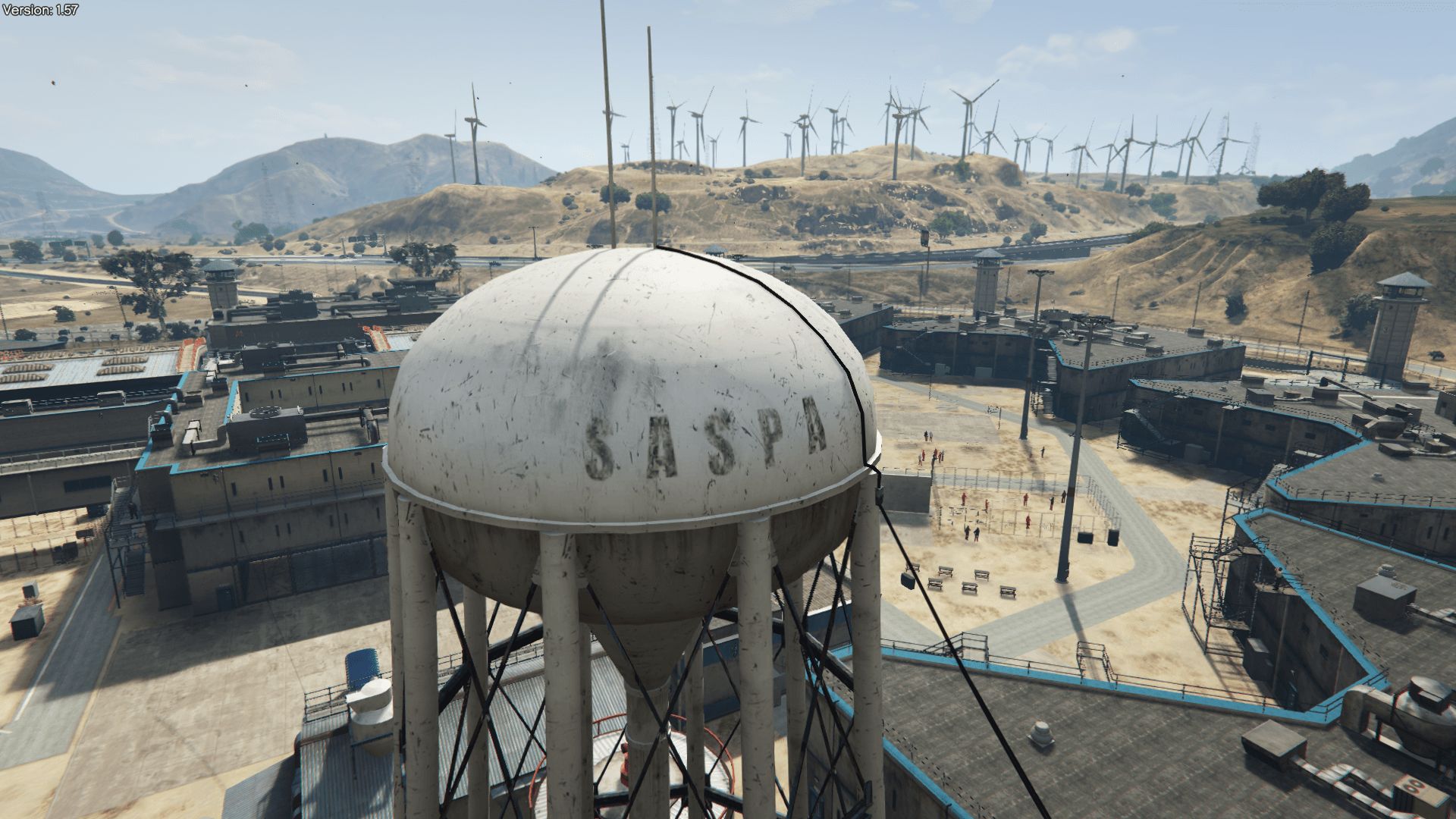
- Fixed a floating wire next to the water tower in Grapeseed
- Changed a yeld sign with a stop sign at the Harmony Plaza
- Fixed the position of two street signs next to the Thomson Scrapyard in the Grand Senora Desert and one near the Yellow Jack Inn
Thanks to SnakeVenom33939 for finding the last 2 errors
Legacy:
- Updated the DLC pack ande the "MP Map Fixes Pack 1" OIV package (new fixes and added an entry previously missing for the "mpgunrunning" DLC pack)
- Enhanced:
- Updated the DLC pack and the OIV package (new fixes and added an entry previously missing for the "mpgunrunning" DLC pack)
This mod fixes hundreds of map collisions, models, textures and placements errors and oversights
Note: a complete list can be found in "Changes.txt" included in the archive
Requirements (Legacy):
- CodeWalker or OpenIV
- RageOpenV or OpenIV.asi ( included with OpenIV )
- OIV Package Installer
- HeapAdjuster
- Packfile Limit Adjuster
- fwBoxStreamerVariable Patch
- Custom Gameconfig
- Bugstar Fixes
Requirements (Enhanced):
- CodeWalker. Note: download the latest version from the Discord server
- RageOpenV or OpenRPF
- OIV Package Installer
- HeapAdjuster Enhanced
- Packfile Limit Adjuster Enhanced
- fwBoxStreamer + DecalsPatch (Enhanced)
- Custom Gameconfig
- Bugstar Fixes
Installation (Legacy):
- Move the "spmapfixes" folder in "mods\update\x64\dlcpacks"
- Add "<Item>dlcpacks:/spMapFixes/</Item>" to the "dlclist.xml"
- MP Map Fixes (Pack 1 and Pack 2): use the OpenIV's built-in package installer / the OIV Package Installer or extract the files to import them manually
Installation (Enhanced):
- Move the "spMapFixes_Gen9" folders in "mods\update\x64\dlcpacks"
- Add "<Item>dlcpacks:/spMapFixes_Gen9/</Item>" to the "dlclist.xml"
- MP Map Fixes: use the OIV Package Installer or extract the files to import them manually
Special Thanks:
- dexyfex for CodeWalker
- Skylumz for Sollumz
- The OpenIV Team for OpenIV
- 3Doomer for GIMS Evo
- Neos7 for the GTA V Map Helper script
- Dekurwinator for the documentation of the flags and portals
Note: a complete list of credits can be found in "Credits.txt" inside the archive
Changelog:
v21.2
- Added back the podium for the valet of the Diamond Casino
- Fixed the broken LOD of a ladder between the LS River and the Mission Row police station
- Fixed various floating plants, bushes and rocks on Mount Gordo
- Enabled some additional car generators in Cayo Perico
- Fixed some brick walls in the back of an house in Grapeseed
- Fixed a floating wire next to the water tower in Grapeseed
- Changed a yeld sign with a stop sign at the Harmony Plaza
- Fixed the position of two street signs next to the Thomson Scrapyard in the Grand Senora Desert and one near the Yellow Jack Inn
Thanks to SnakeVenom33939 for finding the last 2 errors
Legacy:
- Updated the DLC pack ande the "MP Map Fixes Pack 1" OIV package (new fixes and added an entry previously missing for the "mpgunrunning" DLC pack)
- Enhanced:
- Updated the DLC pack and the OIV package (new fixes and added an entry previously missing for the "mpgunrunning" DLC pack)
पहले अपलोड: जून 24, 2019
आखरी अपडेट: 1 दिन पहले
Last Downloaded: 8 कुछ मिनट पहले
All Versions
1,822 टिप्पणियाँ
More mods by Alex106:
Information:
This mod fixes hundreds of map collisions, models, textures and placements errors and oversights
Note: a complete list can be found in "Changes.txt" included in the archive
Requirements (Legacy):
- CodeWalker or OpenIV
- RageOpenV or OpenIV.asi ( included with OpenIV )
- OIV Package Installer
- HeapAdjuster
- Packfile Limit Adjuster
- fwBoxStreamerVariable Patch
- Custom Gameconfig
- Bugstar Fixes
Requirements (Enhanced):
- CodeWalker. Note: download the latest version from the Discord server
- RageOpenV or OpenRPF
- OIV Package Installer
- HeapAdjuster Enhanced
- Packfile Limit Adjuster Enhanced
- fwBoxStreamer + DecalsPatch (Enhanced)
- Custom Gameconfig
- Bugstar Fixes
Installation (Legacy):
- Move the "spmapfixes" folder in "mods\update\x64\dlcpacks"
- Add "<Item>dlcpacks:/spMapFixes/</Item>" to the "dlclist.xml"
- MP Map Fixes (Pack 1 and Pack 2): use the OpenIV's built-in package installer / the OIV Package Installer or extract the files to import them manually
Installation (Enhanced):
- Move the "spMapFixes_Gen9" folders in "mods\update\x64\dlcpacks"
- Add "<Item>dlcpacks:/spMapFixes_Gen9/</Item>" to the "dlclist.xml"
- MP Map Fixes: use the OIV Package Installer or extract the files to import them manually
Special Thanks:
- dexyfex for CodeWalker
- Skylumz for Sollumz
- The OpenIV Team for OpenIV
- 3Doomer for GIMS Evo
- Neos7 for the GTA V Map Helper script
- Dekurwinator for the documentation of the flags and portals
Note: a complete list of credits can be found in "Credits.txt" inside the archive
Changelog:
v21.2
- Added back the podium for the valet of the Diamond Casino
- Fixed the broken LOD of a ladder between the LS River and the Mission Row police station
- Fixed various floating plants, bushes and rocks on Mount Gordo
- Enabled some additional car generators in Cayo Perico
- Fixed some brick walls in the back of an house in Grapeseed
- Fixed a floating wire next to the water tower in Grapeseed
- Changed a yeld sign with a stop sign at the Harmony Plaza
- Fixed the position of two street signs next to the Thomson Scrapyard in the Grand Senora Desert and one near the Yellow Jack Inn
Thanks to SnakeVenom33939 for finding the last 2 errors
Legacy:
- Updated the DLC pack ande the "MP Map Fixes Pack 1" OIV package (new fixes and added an entry previously missing for the "mpgunrunning" DLC pack)
- Enhanced:
- Updated the DLC pack and the OIV package (new fixes and added an entry previously missing for the "mpgunrunning" DLC pack)
This mod fixes hundreds of map collisions, models, textures and placements errors and oversights
Note: a complete list can be found in "Changes.txt" included in the archive
Requirements (Legacy):
- CodeWalker or OpenIV
- RageOpenV or OpenIV.asi ( included with OpenIV )
- OIV Package Installer
- HeapAdjuster
- Packfile Limit Adjuster
- fwBoxStreamerVariable Patch
- Custom Gameconfig
- Bugstar Fixes
Requirements (Enhanced):
- CodeWalker. Note: download the latest version from the Discord server
- RageOpenV or OpenRPF
- OIV Package Installer
- HeapAdjuster Enhanced
- Packfile Limit Adjuster Enhanced
- fwBoxStreamer + DecalsPatch (Enhanced)
- Custom Gameconfig
- Bugstar Fixes
Installation (Legacy):
- Move the "spmapfixes" folder in "mods\update\x64\dlcpacks"
- Add "<Item>dlcpacks:/spMapFixes/</Item>" to the "dlclist.xml"
- MP Map Fixes (Pack 1 and Pack 2): use the OpenIV's built-in package installer / the OIV Package Installer or extract the files to import them manually
Installation (Enhanced):
- Move the "spMapFixes_Gen9" folders in "mods\update\x64\dlcpacks"
- Add "<Item>dlcpacks:/spMapFixes_Gen9/</Item>" to the "dlclist.xml"
- MP Map Fixes: use the OIV Package Installer or extract the files to import them manually
Special Thanks:
- dexyfex for CodeWalker
- Skylumz for Sollumz
- The OpenIV Team for OpenIV
- 3Doomer for GIMS Evo
- Neos7 for the GTA V Map Helper script
- Dekurwinator for the documentation of the flags and portals
Note: a complete list of credits can be found in "Credits.txt" inside the archive
Changelog:
v21.2
- Added back the podium for the valet of the Diamond Casino
- Fixed the broken LOD of a ladder between the LS River and the Mission Row police station
- Fixed various floating plants, bushes and rocks on Mount Gordo
- Enabled some additional car generators in Cayo Perico
- Fixed some brick walls in the back of an house in Grapeseed
- Fixed a floating wire next to the water tower in Grapeseed
- Changed a yeld sign with a stop sign at the Harmony Plaza
- Fixed the position of two street signs next to the Thomson Scrapyard in the Grand Senora Desert and one near the Yellow Jack Inn
Thanks to SnakeVenom33939 for finding the last 2 errors
Legacy:
- Updated the DLC pack ande the "MP Map Fixes Pack 1" OIV package (new fixes and added an entry previously missing for the "mpgunrunning" DLC pack)
- Enhanced:
- Updated the DLC pack and the OIV package (new fixes and added an entry previously missing for the "mpgunrunning" DLC pack)
पहले अपलोड: जून 24, 2019
आखरी अपडेट: 1 दिन पहले
Last Downloaded: 8 कुछ मिनट पहले
 5mods on Discord

@Alex106 already installed everything, I will see how it goes!!!
@SnakeVenom33939 Can you try by reinstalling on a clean update.rpf the OIV packages and without using other mods?
I did the same and everything has loaded correclty with no random LODs
Also, is this issue happening on the Legacy or Enhanced version?
@Alex106 Issue is happening on Legacy. I've done what you said. Only Map Fixes and Bugstar Fixes have been installed. I have no active asi or scripts as far as I know. The bug happens after installing MP Map Fixes Pack 1. Props are missing, and the signs aren't rendering correctly.
@SnakeVenom33939 I think I found the problem (it's probably related to an error I made in the assembly.xml)
@Alex106 Thank you so much for the update! One more thing, however. The last two sign fixes you mentioned were not found by me, but by AnyAustin and his signs video. I'd recommend checking it out to see if there's anything else you could fix. I think I've mentioned it here before.
https://www.youtube.com/watch?v=hEGYRbiVk3Y&t=1230s
Hi again!!! can I update on same mod folder or should I do a clean install for this update?
@SnakeVenom33939 I think I have fixed some stuff based on that video, but I'll double check to see if I missed anything anyway, thanks
@Trancenath91 You can install it on the same "mods" folder
@Alex106 The stop sign before the traffic signal at the intersection in Rockford Hills, next to the Mors Mutual Insurance building, is still present, despite being "fixed" in the latest update. (This issue is present on both SP and MP Maps. This was only seen on Legacy, idk if this is happening on Enhanced.)
The stop decal on the road not rendering correctly in Banham Canyon isn't a Map Updates issue, but a vanilla issue.
IS it compatible with gta 5 remastered mod ( adds alot of props) since its a map mod too ( yours) ?
@SnakeVenom33939 Yeah, I removed the wrong one (next to the Lombank).
As for the decal, I couldn't fix it
@LowEye Yes
@Alex106 No problem! Here's some other stuff I found.
At the Harmony Plaza on Route 68, there is a yield sign at the west entrance when it should be a stop sign, given the "stop" decals on the road.
In the Grand Senora Desert at Cat Claw Ave (the road next to the Thomson Scrapyard), right before you enter the Senora National Park, there is a stop sign placed way before the actual intersection it's supposed to serve. There are also 2 road signs that I believe are facing the wrong direction, and another stop sign just up the road that has been placed on the wrong side of the road.
On the dirt road in front of the Yellow Jack Inn, there is a stop sign placed on the wrong side of the road.
(In general, it looks like a lot of intersections in Blaine County have traffic signs placed on the wrong side of the road, placed way before the actual intersection, or no traffic signs at all. It's like Rockstar forgot to move the traffic signs to correctly align with the intersection it serves after multiple map changes, or forgot to add traffic signs at all. Idk if you want to add stop signs at all of the intersections that are currently lacking them, but that just sounds like a whole new mod on its own, so idk. It could be a "Map Updates" addition, which sounds better suited. Let me know if that's something you're interested in doing or if that's not the scope of this mod, which I would understand.)
IS it compatible with gta 5 enhanced with natural vision enhanced?
@SnakeVenom33939 I have already made some changes like this in the past, so including these you mentioned here it's fine
@SamArkRoy it's compatible with GTA 5 Enhanced, but not with NVE
what happened to the mpmapfixes folders, not anymore needed?
@User20192910291 I moved those files in the OIV packages so they're no longer required
Have you thought to merge MapFixes with BugstarFixes, as both entries now have each other mentioned in Requirements section?
@Alex106 bro are there any versions for 3788?
@cinch_torrian Yes, but I first need to see if there's no longer an upload limit on the website
@Antonyou The mod is compatible with that version
With the enhanced version I keep getting corrupt game data even though I removed all other mods in mods folder and only kept MapFixes and BugstarFixes (including optional grass fix).
Do you have to copy update.rpf, update2.rpf, and x64e.rpf to the mods folder before installing?
Figured it out, it was the MP Map Files.oiv file from improved grass dithering.