VitalityPlus+ [.net] v3.0


![Low Priority Props Patch [Enhanced]](https://img.gta5-mods.com/q75-w500-h333-cfill/images/low-priority-props-patch-enhanced/d3bedc-Screenshot_1.jpg "Low Priority Props Patch [Enhanced]")



9,381
95
9,381
95
About This Mod
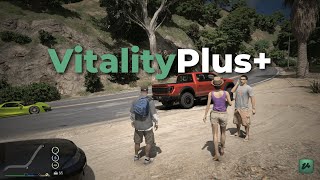
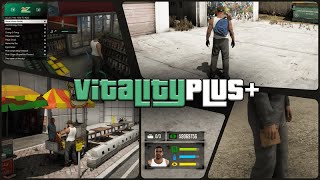
VitalityPlus+ adds hunger, thirst, and energy systems to single player along with stores, vending machines, inventory management, bags, and several interaction features. The mod focuses on giving players more things to manage, purchase, and use throughout the game while keeping everything functional through menus and simple animations.
You can buy items from stores, expand inventory capacity with bags, use vending machines, eat at hotdog stands, restore energy by sleeping, and access all features through the main menu. The goal is to provide additional gameplay mechanics without changing the core structure of the game.
Features
Note
To reload the scripts using the built-in SHVDN script reload function, make sure you are inside a vehicle before reloading. Otherwise, the bag or attached inventory prop may remain permanently attached to your character after the script is reloaded
IMPORTANT
The mod currently does not support NaturalVision Enhanced (Onigiri)
However, if you are using NaturalVision Enhanced + OpenRPF, the texture installation process is the same.
Simply Install the "[REQUIRED] [Enhanced] VitalityPlus+ Textures" OIV file through OIV Package Installer
Controls
Installation
Copy the "scripts" folder to your GTA V Main Game Directory(Where GTA5.exe or GTA5_Enhanced.exe is located)
Legacy: Install the "[REQUIRED] VitalityPlus Textures" OIV file through OpenIV
Enhanced: Install the "[REQUIRED] [Enhanced] VitalityPlus+ Textures" OIV file through OIV Package Installer
Requirements
Legacy
OpenIV
Script Hook V
Script Hook V .NET
LemonUI SHVDN3
iFruitAddon2
Enhanced
OpenRPF
OIV Package Installer
Script Hook V
Script Hook V .NET Enhanced
LemonUI SHVDN3
iFruitAddon2
Changelog
v3.0
- Enhanced Support
- Improved Hud Colors
- Improved Bag Store System
- New Circular Horizontal Hud
- Updated RLS & SLB Map Blips
- Improved Discount Percentages & Reduced the Probability of Discounted Items
- Added Pre-Mission Stats Saving
- Added Basket Menu Key Binding Customization
- Added an option to reset HUD position and size
- New Pause Stats System after Consumption(Currently Limited to Hotdogs)
- Added Item Preview Image Position & Size Adjuster
- HUD is now hidden when the Minimap is disabled
- Added additional size options for the HUD size adjusters, along with a new scroll sensitivity option
- Improved Key Binding setup Helpers
- Reworked all Notifications, Subtitles, and HelpText Messages
- Health reduction has been lowered from −10 HP to −5 HP when a stat is empty
- Added a change logs menu displaying all fixes, improvements, and newly added features
- Disabled Pack of 3 Donuts if No Bag
- Fixed the FPS Bug (minor FPS drops may still occur)
- Fixed the Hud Position Adjusters Not Working Correctly
- Fixed Circular HUD Scaling Issues
- Fixed the Vehicle coming to a Sudden Stop while Consuming an Item
- Fixed Helper Notifications not displaying the current key bindings
- Fixed an issue where the stats HUD appeared empty even when the stat was not fully depleted
- Fixed “Added to Basket” Notifications not displaying
- Fixed an issue where some coffee vending machines were not working
- Fixed a Few Story Mode Compatibility Issues
v2.0
- Added HUD position and size adjustment feature
- New Discount System
- Added LSPDFR Compatible
- Added Compatibility for ALL Characters
- Rebalanced Food and Drink Values + Updated their Preview Images
- New Menu Banners
- Added Randomly changing Menu Banners for some selected menus
- Added an option to Disable Attached Inventory Prop in the AIP menu
- Added Stat Increases when Consuming Drinks at a Safehouse
- Added Stat Increases when using Soda Vending Machines
- Fixed an issue where the Menu Up Arrow opened the cellphone
- Fixed an issue where characters performed unintended additional actions while consuming items
- Disabled AIP while fight mode is active
- Improved Low Stats Animation
v1.0
- Initial Release
VitalityPlus+ adds hunger, thirst, and energy systems to single player along with stores, vending machines, inventory management, bags, and several interaction features. The mod focuses on giving players more things to manage, purchase, and use throughout the game while keeping everything functional through menus and simple animations.
You can buy items from stores, expand inventory capacity with bags, use vending machines, eat at hotdog stands, restore energy by sleeping, and access all features through the main menu. The goal is to provide additional gameplay mechanics without changing the core structure of the game.
Features
- Hunger, thirst, and energy systems
- Inventory with item previews and stat details
- Purchasable bags that expand inventory capacity
- Functional stores with basket, preview, and checkout
- Snack, water, and coffee vending machines
- Hotdog stands with instant consumption
- Custom eating, drinking, and vending sounds
- Sleep system that restores energy
- Main menu with customizable settings and keybinds
- Store blip controls through Contacts
- Automatic saving
- Story Mode compatibility (beta)
Note
To reload the scripts using the built-in SHVDN script reload function, make sure you are inside a vehicle before reloading. Otherwise, the bag or attached inventory prop may remain permanently attached to your character after the script is reloaded
IMPORTANT
The mod currently does not support NaturalVision Enhanced (Onigiri)
However, if you are using NaturalVision Enhanced + OpenRPF, the texture installation process is the same.
Simply Install the "[REQUIRED] [Enhanced] VitalityPlus+ Textures" OIV file through OIV Package Installer
Controls
- Shift + N opens the Main Menu
- Shift + G opens the Inventory Menu
- Backspace sets a keybind to None
- Context Key (default E) interacts with stores, vending machines, hotdog stands, and bag markers
- Shift + B opens the Basket Menu when holding a basket
- Delete removes items from the Basket
Installation
Copy the "scripts" folder to your GTA V Main Game Directory(Where GTA5.exe or GTA5_Enhanced.exe is located)
Legacy: Install the "[REQUIRED] VitalityPlus Textures" OIV file through OpenIV
Enhanced: Install the "[REQUIRED] [Enhanced] VitalityPlus+ Textures" OIV file through OIV Package Installer
Requirements
Legacy
OpenIV
Script Hook V
Script Hook V .NET
LemonUI SHVDN3
iFruitAddon2
Enhanced
OpenRPF
OIV Package Installer
Script Hook V
Script Hook V .NET Enhanced
LemonUI SHVDN3
iFruitAddon2
Changelog
v3.0
- Enhanced Support
- Improved Hud Colors
- Improved Bag Store System
- New Circular Horizontal Hud
- Updated RLS & SLB Map Blips
- Improved Discount Percentages & Reduced the Probability of Discounted Items
- Added Pre-Mission Stats Saving
- Added Basket Menu Key Binding Customization
- Added an option to reset HUD position and size
- New Pause Stats System after Consumption(Currently Limited to Hotdogs)
- Added Item Preview Image Position & Size Adjuster
- HUD is now hidden when the Minimap is disabled
- Added additional size options for the HUD size adjusters, along with a new scroll sensitivity option
- Improved Key Binding setup Helpers
- Reworked all Notifications, Subtitles, and HelpText Messages
- Health reduction has been lowered from −10 HP to −5 HP when a stat is empty
- Added a change logs menu displaying all fixes, improvements, and newly added features
- Disabled Pack of 3 Donuts if No Bag
- Fixed the FPS Bug (minor FPS drops may still occur)
- Fixed the Hud Position Adjusters Not Working Correctly
- Fixed Circular HUD Scaling Issues
- Fixed the Vehicle coming to a Sudden Stop while Consuming an Item
- Fixed Helper Notifications not displaying the current key bindings
- Fixed an issue where the stats HUD appeared empty even when the stat was not fully depleted
- Fixed “Added to Basket” Notifications not displaying
- Fixed an issue where some coffee vending machines were not working
- Fixed a Few Story Mode Compatibility Issues
v2.0
- Added HUD position and size adjustment feature
- New Discount System
- Added LSPDFR Compatible
- Added Compatibility for ALL Characters
- Rebalanced Food and Drink Values + Updated their Preview Images
- New Menu Banners
- Added Randomly changing Menu Banners for some selected menus
- Added an option to Disable Attached Inventory Prop in the AIP menu
- Added Stat Increases when Consuming Drinks at a Safehouse
- Added Stat Increases when using Soda Vending Machines
- Fixed an issue where the Menu Up Arrow opened the cellphone
- Fixed an issue where characters performed unintended additional actions while consuming items
- Disabled AIP while fight mode is active
- Improved Low Stats Animation
v1.0
- Initial Release
पहले अपलोड: अगस्त 23, 2025
आखरी अपडेट: जनवरी 25, 2026
Last Downloaded: 1 hour ago
216 टिप्पणियाँ
About This Mod
VitalityPlus+ adds hunger, thirst, and energy systems to single player along with stores, vending machines, inventory management, bags, and several interaction features. The mod focuses on giving players more things to manage, purchase, and use throughout the game while keeping everything functional through menus and simple animations.
You can buy items from stores, expand inventory capacity with bags, use vending machines, eat at hotdog stands, restore energy by sleeping, and access all features through the main menu. The goal is to provide additional gameplay mechanics without changing the core structure of the game.
Features
Note
To reload the scripts using the built-in SHVDN script reload function, make sure you are inside a vehicle before reloading. Otherwise, the bag or attached inventory prop may remain permanently attached to your character after the script is reloaded
IMPORTANT
The mod currently does not support NaturalVision Enhanced (Onigiri)
However, if you are using NaturalVision Enhanced + OpenRPF, the texture installation process is the same.
Simply Install the "[REQUIRED] [Enhanced] VitalityPlus+ Textures" OIV file through OIV Package Installer
Controls
Installation
Copy the "scripts" folder to your GTA V Main Game Directory(Where GTA5.exe or GTA5_Enhanced.exe is located)
Legacy: Install the "[REQUIRED] VitalityPlus Textures" OIV file through OpenIV
Enhanced: Install the "[REQUIRED] [Enhanced] VitalityPlus+ Textures" OIV file through OIV Package Installer
Requirements
Legacy
OpenIV
Script Hook V
Script Hook V .NET
LemonUI SHVDN3
iFruitAddon2
Enhanced
OpenRPF
OIV Package Installer
Script Hook V
Script Hook V .NET Enhanced
LemonUI SHVDN3
iFruitAddon2
Changelog
v3.0
- Enhanced Support
- Improved Hud Colors
- Improved Bag Store System
- New Circular Horizontal Hud
- Updated RLS & SLB Map Blips
- Improved Discount Percentages & Reduced the Probability of Discounted Items
- Added Pre-Mission Stats Saving
- Added Basket Menu Key Binding Customization
- Added an option to reset HUD position and size
- New Pause Stats System after Consumption(Currently Limited to Hotdogs)
- Added Item Preview Image Position & Size Adjuster
- HUD is now hidden when the Minimap is disabled
- Added additional size options for the HUD size adjusters, along with a new scroll sensitivity option
- Improved Key Binding setup Helpers
- Reworked all Notifications, Subtitles, and HelpText Messages
- Health reduction has been lowered from −10 HP to −5 HP when a stat is empty
- Added a change logs menu displaying all fixes, improvements, and newly added features
- Disabled Pack of 3 Donuts if No Bag
- Fixed the FPS Bug (minor FPS drops may still occur)
- Fixed the Hud Position Adjusters Not Working Correctly
- Fixed Circular HUD Scaling Issues
- Fixed the Vehicle coming to a Sudden Stop while Consuming an Item
- Fixed Helper Notifications not displaying the current key bindings
- Fixed an issue where the stats HUD appeared empty even when the stat was not fully depleted
- Fixed “Added to Basket” Notifications not displaying
- Fixed an issue where some coffee vending machines were not working
- Fixed a Few Story Mode Compatibility Issues
v2.0
- Added HUD position and size adjustment feature
- New Discount System
- Added LSPDFR Compatible
- Added Compatibility for ALL Characters
- Rebalanced Food and Drink Values + Updated their Preview Images
- New Menu Banners
- Added Randomly changing Menu Banners for some selected menus
- Added an option to Disable Attached Inventory Prop in the AIP menu
- Added Stat Increases when Consuming Drinks at a Safehouse
- Added Stat Increases when using Soda Vending Machines
- Fixed an issue where the Menu Up Arrow opened the cellphone
- Fixed an issue where characters performed unintended additional actions while consuming items
- Disabled AIP while fight mode is active
- Improved Low Stats Animation
v1.0
- Initial Release
VitalityPlus+ adds hunger, thirst, and energy systems to single player along with stores, vending machines, inventory management, bags, and several interaction features. The mod focuses on giving players more things to manage, purchase, and use throughout the game while keeping everything functional through menus and simple animations.
You can buy items from stores, expand inventory capacity with bags, use vending machines, eat at hotdog stands, restore energy by sleeping, and access all features through the main menu. The goal is to provide additional gameplay mechanics without changing the core structure of the game.
Features
- Hunger, thirst, and energy systems
- Inventory with item previews and stat details
- Purchasable bags that expand inventory capacity
- Functional stores with basket, preview, and checkout
- Snack, water, and coffee vending machines
- Hotdog stands with instant consumption
- Custom eating, drinking, and vending sounds
- Sleep system that restores energy
- Main menu with customizable settings and keybinds
- Store blip controls through Contacts
- Automatic saving
- Story Mode compatibility (beta)
Note
To reload the scripts using the built-in SHVDN script reload function, make sure you are inside a vehicle before reloading. Otherwise, the bag or attached inventory prop may remain permanently attached to your character after the script is reloaded
IMPORTANT
The mod currently does not support NaturalVision Enhanced (Onigiri)
However, if you are using NaturalVision Enhanced + OpenRPF, the texture installation process is the same.
Simply Install the "[REQUIRED] [Enhanced] VitalityPlus+ Textures" OIV file through OIV Package Installer
Controls
- Shift + N opens the Main Menu
- Shift + G opens the Inventory Menu
- Backspace sets a keybind to None
- Context Key (default E) interacts with stores, vending machines, hotdog stands, and bag markers
- Shift + B opens the Basket Menu when holding a basket
- Delete removes items from the Basket
Installation
Copy the "scripts" folder to your GTA V Main Game Directory(Where GTA5.exe or GTA5_Enhanced.exe is located)
Legacy: Install the "[REQUIRED] VitalityPlus Textures" OIV file through OpenIV
Enhanced: Install the "[REQUIRED] [Enhanced] VitalityPlus+ Textures" OIV file through OIV Package Installer
Requirements
Legacy
OpenIV
Script Hook V
Script Hook V .NET
LemonUI SHVDN3
iFruitAddon2
Enhanced
OpenRPF
OIV Package Installer
Script Hook V
Script Hook V .NET Enhanced
LemonUI SHVDN3
iFruitAddon2
Changelog
v3.0
- Enhanced Support
- Improved Hud Colors
- Improved Bag Store System
- New Circular Horizontal Hud
- Updated RLS & SLB Map Blips
- Improved Discount Percentages & Reduced the Probability of Discounted Items
- Added Pre-Mission Stats Saving
- Added Basket Menu Key Binding Customization
- Added an option to reset HUD position and size
- New Pause Stats System after Consumption(Currently Limited to Hotdogs)
- Added Item Preview Image Position & Size Adjuster
- HUD is now hidden when the Minimap is disabled
- Added additional size options for the HUD size adjusters, along with a new scroll sensitivity option
- Improved Key Binding setup Helpers
- Reworked all Notifications, Subtitles, and HelpText Messages
- Health reduction has been lowered from −10 HP to −5 HP when a stat is empty
- Added a change logs menu displaying all fixes, improvements, and newly added features
- Disabled Pack of 3 Donuts if No Bag
- Fixed the FPS Bug (minor FPS drops may still occur)
- Fixed the Hud Position Adjusters Not Working Correctly
- Fixed Circular HUD Scaling Issues
- Fixed the Vehicle coming to a Sudden Stop while Consuming an Item
- Fixed Helper Notifications not displaying the current key bindings
- Fixed an issue where the stats HUD appeared empty even when the stat was not fully depleted
- Fixed “Added to Basket” Notifications not displaying
- Fixed an issue where some coffee vending machines were not working
- Fixed a Few Story Mode Compatibility Issues
v2.0
- Added HUD position and size adjustment feature
- New Discount System
- Added LSPDFR Compatible
- Added Compatibility for ALL Characters
- Rebalanced Food and Drink Values + Updated their Preview Images
- New Menu Banners
- Added Randomly changing Menu Banners for some selected menus
- Added an option to Disable Attached Inventory Prop in the AIP menu
- Added Stat Increases when Consuming Drinks at a Safehouse
- Added Stat Increases when using Soda Vending Machines
- Fixed an issue where the Menu Up Arrow opened the cellphone
- Fixed an issue where characters performed unintended additional actions while consuming items
- Disabled AIP while fight mode is active
- Improved Low Stats Animation
v1.0
- Initial Release
पहले अपलोड: अगस्त 23, 2025
आखरी अपडेट: जनवरी 25, 2026
Last Downloaded: 1 hour ago
 5mods on Discord

@ZeroFcks
That is quite unusual. Are you using the Enhanced version or the Legacy version? I am unsure why your game is crashing during a purchase. It is possible that another mod may be causing the issue.
@Luky445 Thank you 😊, I’m really glad you’re enjoying the mod.
As for the option to disable the bag feature, I’m sorry but that’s not something I plan to add, since I’m trying to keep the mod a bit realistic.
However, the option to hide the bag is definitely possible, and I’ll add that in the next update.
@ColdCri Hello there,
I do not believe there is a way to fix the HUD stretching issue while using a triple-screen setup. Unfortunately, the only reliable solution at the moment would be to play on a single screen.
Regarding the call ending automatically, I have tested it and confirmed that it is indeed a bug. I will fix it in the next update.
@gta5dai I apologize, but I will not be adding that feature, as it involves a universal key that I do not wish to modify.
@maxxedplus I used the if Playing Animation Native
@Pr0xyV9 Hello there,
That's weird. Does it disappear permanently? Please ensure that the game’s radar and HUD are enabled.
I have also tested this and did not encounter any issues with the mod's HUD after using the phone to save the game. Could you please provide more specific details about the issue?
@EzX_GTA it did disappear permanently when i was playing yesterday but it only happened once and doesn't disappear anymore so idk what happened you can probably just forget about it
@AllisVanity You can reduce the stat decrease rate by enabling Story Mode Compatibility, which significantly slows down stat depletion. I will also be reworking the stat decrease rate for the next update.
@EzX_GTA That's fine, thx for contributing for free to the modding community
@EzX_GTA hey sorry I meant to mention I don't think this mod was causing the issue. I had found the old gameplay fixes v was the root cause. Sorry and thanks!
@Pr0xyV9 Aight got you, if it disappears again lmk
@gta5dai Always down to support the community
@dimedius nws, glad you found the root cause
@EzX_GTA yoo thanks bro, i would really appreciate that
@Luky445
After installing these two, why is there no response when I launch the game?
1. Copy the "scripts" folder to your GTA V Main Game Directory(Where GTA5.exe is located)
2. Install the "\[REQUIRED] \[Legacy] VitalityPlus+ Textures" OIV file through OpenIV
Awesome mod, the UI / HUD is so simple and clean I'm in love with it. Hopefully there will be an option to configure how fast hunger, thirst and energy levels deplete.
Also if you're only seeing "content", "assembly", "icon.png" files, when installing, you need to install WinRaR to see the rest of the files. I had a little trouble with that but either way 10/10 mod.
For some reason , everytime I go to a bag store the door is locked and when i like enter the store via freecam, it wont let me buy anything cause there is no shopkeeper available
@ChiefRegistered This likely means the “Friend Request” mission hasn’t been completed yet, since clothing stores only unlock after finishing that mission. That’s how the game is designed to enable them
Is anyone getting stuck after buying the items like getting stuck at the register not being able to move at all no matter what you do you have to restart the game and it happens every time I choose items and then go to The Register and pay for them I just automatically get stuck in this weird angle
Is there a way to hide the bag accessory?